
If your audio is playing but you can’t see the audio waveforms in Premiere Pro… yeah, editing just became 10x harder.
Here are the fastest ways to get your waveform back.
Want faster editing in Premiere Pro?
I put together a PDF with shortcuts and workflows that save serious time when editing. Including stuff like this that Premiere doesn’t make obvious.
Why audio waveforms disappear in Premiere Pro
This usually happens because:
- Premiere didn’t generate peak files properly
- cache is corrupted
- waveform display is turned off
- or it’s just a random bug (yes, it happens)
Even Adobe users report needing to reset preferences, delete cache or re-render audio when this happens.
Why Are Audio Waveforms Not Showing?
When you import a video file with audio attached, Premiere Pro generates media cache files to display the waveforms. However, if these files become corrupted or your cache storage is full, Premiere Pro might fail to generate waveforms correctly.
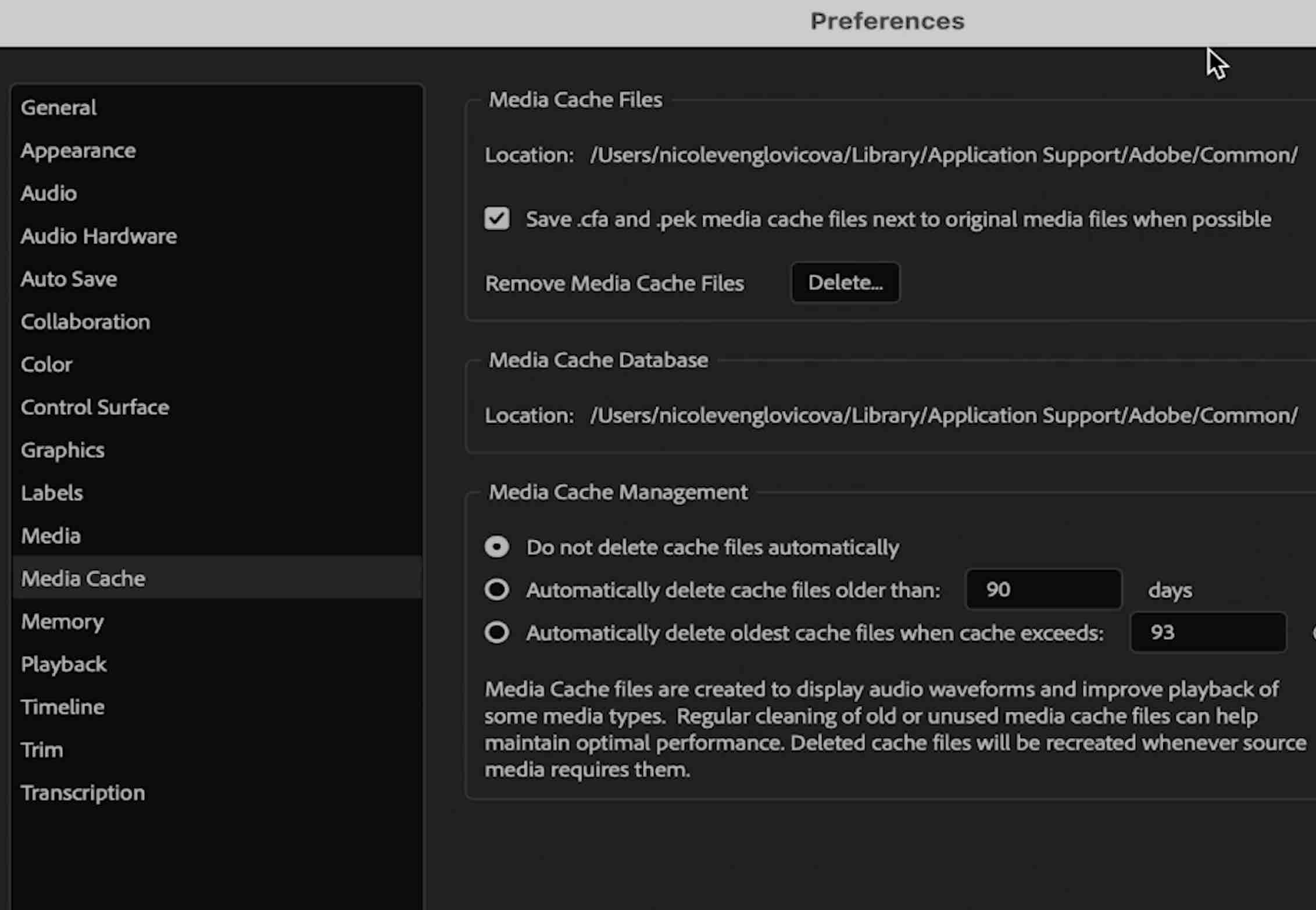
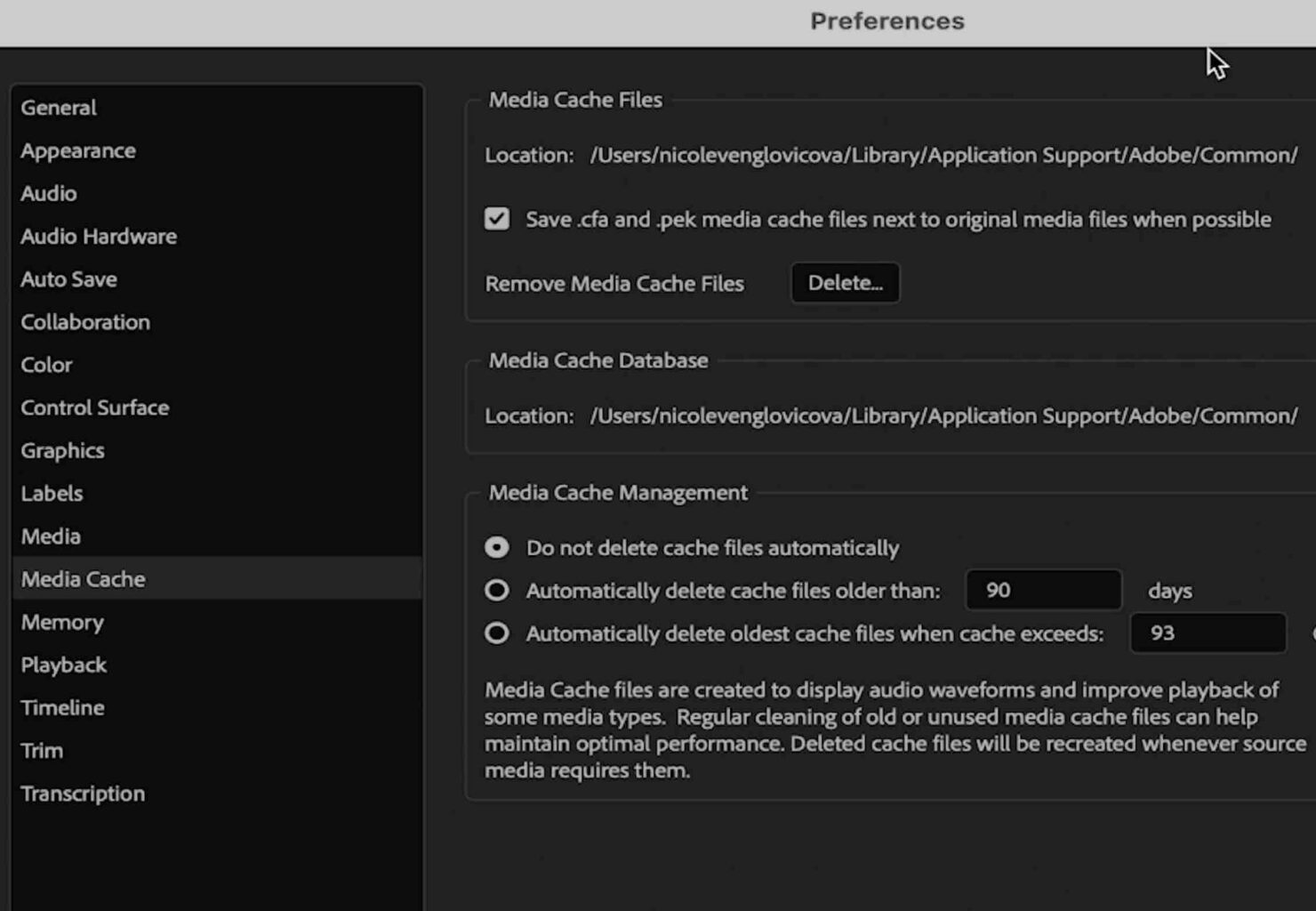
Step 1: Clear Media Cache Files
For Windows Users:
1. Go to Edit > Preferences > Media Cache.
2. Click Delete next to “Remove Media Cache Files.”
For Mac Users:
1. Go to Premiere Pro > Preferences > Media Cache.
2. Click Delete Unused Media Cache Files.
> Tip: Deleting cache files will not affect your projects. Premiere Pro will regenerate them as needed.
Step 2: Restart Premiere Pro
After clearing cache files, close Premiere Pro completely and restart it. This allows the software to regenerate new media cache files for your current project.
Step 3: Manually Regenerate Waveforms
If waveforms still don’t appear:
1. Right-click the audio clip in the timeline.
2. Select Render and Replace.
3. Wait for Premiere Pro to regenerate the waveform.
Step 4: Adjust Automatic Cache Deletion Settings
To prevent this issue in the future:
1. Go to Preferences > Media Cache.
2. Enable “Automatically delete media cache files older than 30 days.”
3. This ensures Premiere Pro clears old cache files periodically.
Watch the full fix (video)
If you want to see this step-by-step, I walk through all fixes in the video above.
Final thought
This is one of those bugs that feels like a disaster… but once you know the fixes, it’s a 2-minute problem.

Comments are closed