Trying to create YouTube thumbnails used to be one of those annoying jobs that could eat half your day. You open Photoshop, stare at the screen, move text around, change the background, hate everything, start again, question your life choices, and somehow still end up with a thumbnail that looks like it was made during a power cut.
I know this because I’ve done it.
I’m a filmmaker, editor and content creator, but I am not a designer. I can admit that. My old thumbnails were not exactly giving “click me immediately.” Some were boring, underexposed, messy, or just looked painfully homemade.
Then I tried something stupidly simple. I uploaded my old thumbnails to ChatGPT and said: Improve this. That was basically it.
And the results were ridiculous. In a good way. ChatGPT took my rough thumbnail ideas and turned them into cleaner, more professional-looking YouTube thumbnails in seconds. It kept the idea, improved the layout, made the text stronger, cleaned up the design, and gave me something that looked like it could actually compete on YouTube.
Why YouTube Thumbnails Matter
Your thumbnail is usually the first thing people see before they decide whether your video is worth clicking. A good thumbnail does not magically guarantee a million views. Anyone promising that is probably also selling magic beans. But a bad thumbnail can absolutely hurt a good video.
You might have useful content, a great tutorial, a funny vlog, or a strong opinion piece, but if the thumbnail looks confusing, boring, or cheap, people scroll past it. That is why improving thumbnails is one of the fastest ways to make your YouTube channel look more professional.
The Problem with Cheap Thumbnail Designers
If you have a YouTube channel, you’ve probably had those emails.
“Hello dear, I make professional thumbnail for only $5.”
And yes, $5 sounds cheap. But here’s the thing. If you need 20 thumbnails, that’s already $100. And if you want changes, you wait. If the design is not your style, you explain. If they misunderstand the video, you explain again.
And let’s be honest, a lot of people offering cheap thumbnails are probably using AI tools anyway. So instead of paying someone else to type prompts into AI, you can train ChatGPT to understand your own thumbnail style and create them yourself.
How I Started Using ChatGPT for Thumbnails
At first, I made the mistake of asking ChatGPT something too basic, like: Create a thumbnail for this video.
Then I added the video title.
The result was okay-ish, but it looked too generic. Too AI. Too much like those fake shiny thumbnails that don’t feel like my content at all. So I changed the approach.
Instead of asking ChatGPT to create something from nothing, I gave it my own existing thumbnails first. Even the bad ones. Especially the bad ones.
I uploaded my old thumbnails and simply asked ChatGPT to improve them.
That worked much better because it had something to build from. It could see the topic, the structure, my face, the text, the style, and the general idea. Then it made the thumbnail cleaner, stronger and more clickable.
Why “Improve This” Works So Well
The reason this works is simple.
When you upload an existing thumbnail, ChatGPT does not have to guess everything from scratch.
It can understand:
- The topic of the video
- The main visual idea
- The text placement
- The style you were trying to create
- What looks messy or weak
- What needs to be clearer
- What should stand out more
So instead of creating some random design, it improves the thing you already started.
That is the sweet spot. You are not replacing your idea. You are making it look better.
Before and After: What ChatGPT Can Fix
From my own tests, ChatGPT helped improve thumbnails by fixing things like:
- Messy layouts
- Text that was too small
- Boring backgrounds
- Bad contrast
- Weak colours
- Unclear focus
- Too much empty space
- My face being included when it made no sense
- Text placement that would get covered by the YouTube timestamp
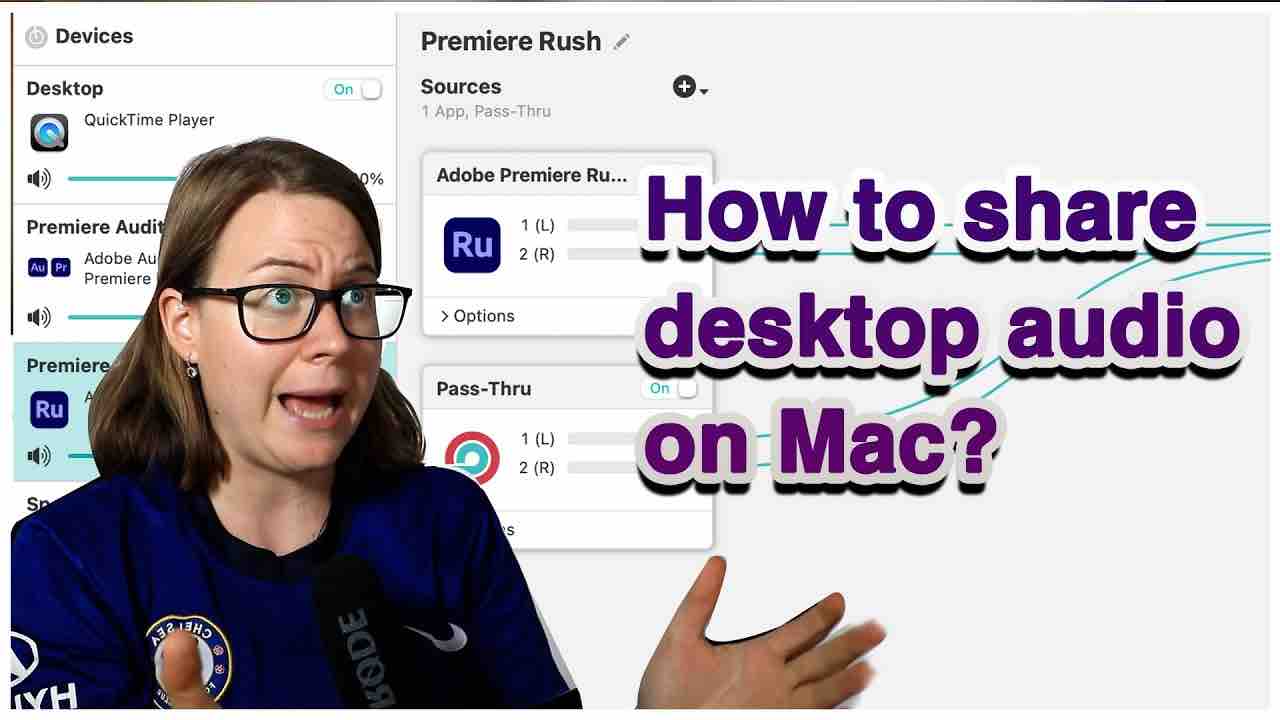
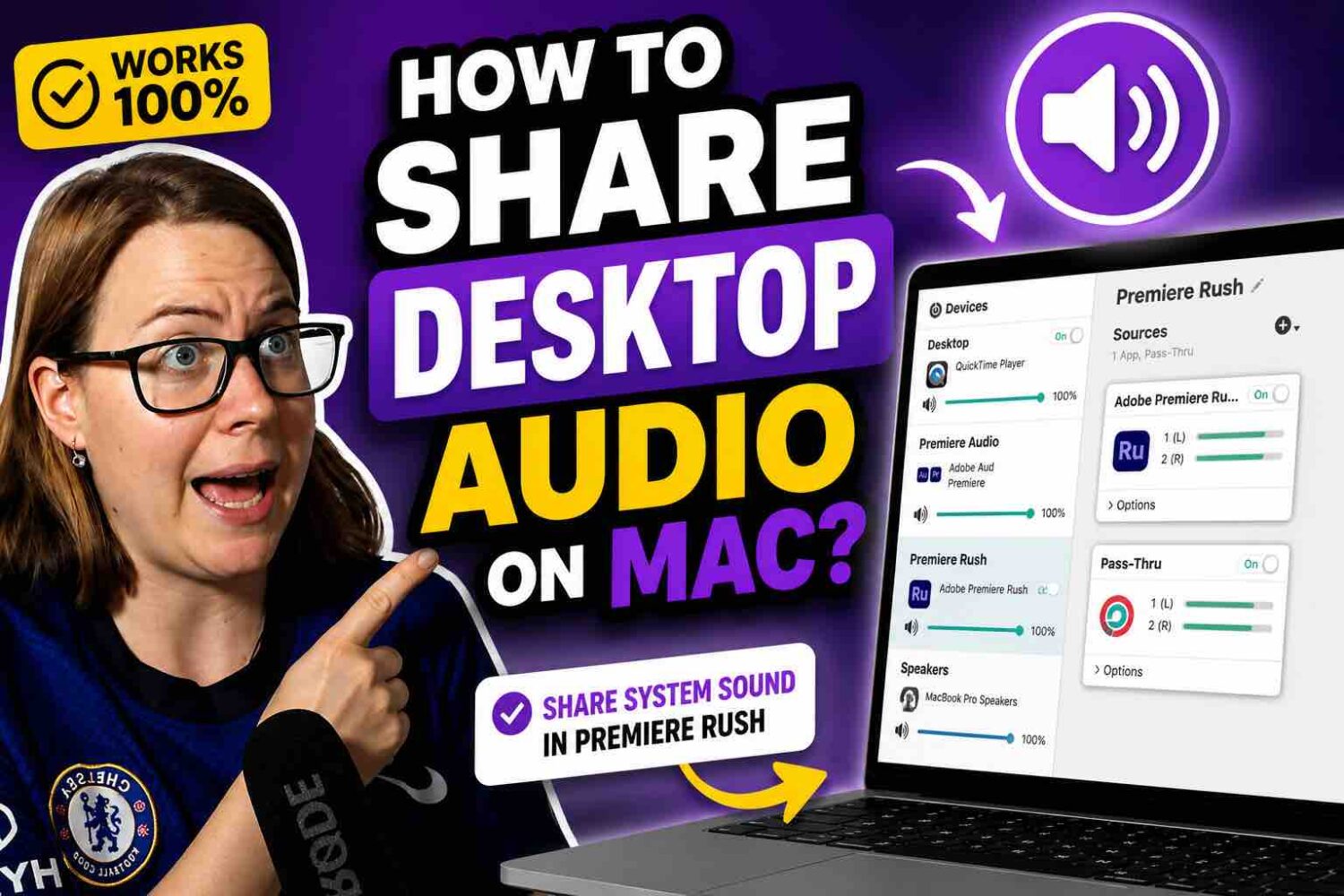
For example, I had older thumbnails for tutorials like MacBook Touch Bar videos, Instagram Reels captions, Premiere Pro presets, movie reviews and other content. Some of the originals were honestly tragic.
After uploading them and asking ChatGPT to improve them, the new versions looked much more polished and professional.
And the wild part? It took seconds.
How to Train ChatGPT to Create YouTube Thumbnails in Your Style
The real power comes when you train ChatGPT with your own examples.
Here’s how I do it:
- Upload several of your existing thumbnails
- Ask ChatGPT to improve each one
- Give feedback after every version
- Say what you like and don’t like
- Ask it to keep the same style for future thumbnails
After you do this a few times, ChatGPT starts to understand what you want. Then you can move from “improve this thumbnail” to “create a thumbnail from scratch for this video.”
That is where it gets properly useful.
Once ChatGPT understands your style, you can give it a video title or topic, and it can create something that still feels connected to your channel.
What to Say When You Want Changes
The best part is that you can ask for small changes like you would with a designer.
For example:
- Remove my face
- Make the text bigger
- Move the title higher
- Make it less busy
- Make it more dramatic
- Use fewer words
- Make the background cleaner
- Make it more YouTube-friendly
- Make it look less AI
- Make the topic clearer
This is where AI thumbnails become genuinely useful. You do not need to accept the first version. You can keep adjusting it until it works.
Why I Stopped Relying on Photoshop
I used to use Photoshop, but honestly, it became too expensive for what I needed.
For basic YouTube thumbnails, I started making rough versions in Keynote. I would remove the background, add myself, add text, add screenshots or images, and build the general idea.
Was it perfect? No. Was it free? Yes.
Then ChatGPT became the part that made those rough designs look professional.
So instead of paying for expensive design software or hiring someone for every thumbnail, I can make a rough idea myself and let ChatGPT clean it up.
Can ChatGPT Create YouTube Thumbnails from Scratch?
Yes, but I would not start there.
If you just ask it to make a thumbnail from scratch without context, it might give you something too generic.
The better workflow is:
- First, upload your old thumbnails
- Ask ChatGPT to improve them
- Train it on your style
- Then ask it to create new thumbnails from scratch
Once it understands your channel, your topics and the style you like, the results get much better.
That is when it becomes fast.
You can give it a video title and get a strong thumbnail idea in seconds.
How Much Money Can This Save?
Let’s say a thumbnail designer charges $5 per thumbnail. That sounds cheap until you need a lot of them.
20 thumbnails = $100
And that does not include waiting, revisions, or getting designs that don’t match your style.
With ChatGPT, you can create and adjust thumbnails yourself. You still need taste and judgement, obviously. AI can create a design, but you still have to decide whether it actually works for your audience.
But once you get the workflow right, you can save a lot of money and time.
Who This Is Best For
This is especially useful if you are a YouTuber, beginner creator, tutorial creator, video editor, podcaster, small business owner, someone uploading lots of videos, someone who cannot afford a designer for every video, someone who wants a consistent thumbnail style.
If you post regularly, thumbnails can become a huge job. Using ChatGPT makes the whole process faster and less painful.
My Simple ChatGPT Thumbnail Prompt
Here is a simple prompt you can copy:
I’m uploading my current YouTube thumbnail. Keep the main topic and idea, but improve the design so it looks more professional, clickable and clean. Make the text easy to read on mobile, improve the layout, make the subject stand out, and keep it suitable for YouTube. Do not make it look too generic or overly AI.
Then after you get the first version, give feedback.
For example:
Make it less busy and make the text bigger.
Or:
Remove my face and focus more on the topic.
Or:
Move the text higher because the YouTube timestamp might cover it.
That is how you get a better result.
Final Thoughts
So this is how you create Youtube thumbnails. ChatGPT will not magically make every video go viral. But it can help you fix one of the biggest problems many creators have: bad thumbnails.
You do not need to be a designer. You do not need to spend hours in Photoshop. You do not need to pay someone every time you upload a video.
Start with your own thumbnail, upload it, and ask ChatGPT to improve it. That one sentence can turn a messy, homemade-looking thumbnail into something much cleaner, sharper and more clickable.
And once ChatGPT learns your style, you can create new thumbnails much faster. For creators who upload often, that is a massive win.
Want me to review your videos and tell you exactly what’s holding them back? I’ll analyse your content and give you a clear plan to improve your filming, editing, audio and storytelling. Get your content reviewed here.
Comments are closed